
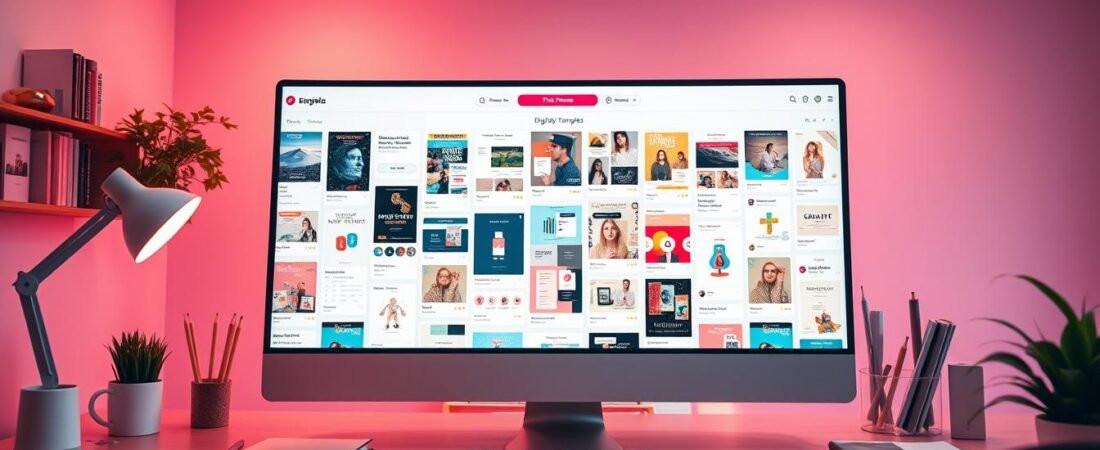
Pinterest is a visual discovery platform that’s great for creators. It’s a place to show and sell digital products. With its huge user base and business-friendly features, it’s a big opportunity for creators to make money.
Creators can use Pinterest to grow their online presence. It helps drive traffic to their websites and increase sales. Whether you sell e-books, printables, or courses, Pinterest can help.
To use Pinterest well, you need to know its ecosystem and how to make your content stand out. This guide will help you get started on selling your digital products on Pinterest.
Key Takeaways
- Understand Pinterest’s role in selling digital products.
- Learn how to optimize your Pinterest profile for sales.
- Discover the best practices for creating engaging content.
- Find out how to leverage Pinterest’s features for maximum visibility.
- Understand how to drive traffic from Pinterest to your website.
The Power of Pinterest as a Platform for Creators
Pinterest is a strong platform for creators to show off their digital products. It has a huge and active user base. This makes it a great chance for creators to find customers who are looking for what they offer.
Pinterest Demographics and User Behavior
Knowing who uses Pinterest and how they use it is key for creators. Most Pinterest users are women, with 70% being female. They are mostly between 25 and 44 years old. They use Pinterest to find ideas and inspiration for things they’re interested in.
For example, they might look for wedding ideas, home decor, or DIY projects. Creators can make their content more appealing by understanding these trends. This way, they can better meet the needs of their audience.
Why Pinterest Users Are Ready to Buy
Pinterest users are often looking to buy things they see. In fact, 85% of users have bought something after seeing it on Pinterest. They might see a digital planner and decide to buy it right then.
Creators can make the most of this by making their products easy to find and attractive. For more tips on Pinterest, check out Jenna Kutcher’s blog on Pinterest trends for 2025.
Popular Digital Products to Sell on Pinterest
Pinterest is great for selling digital products. It’s perfect for things that help people plan or get creative. Users are always looking for new ideas and tools to make their lives better.
Printables and Planners
Printables and planners are big hits on Pinterest. They help people manage their time, plan meals, or keep track of habits. To do well, make sure your designs are pretty and useful. Use keywords related to organization and planning to help people find your products.
Digital Art and Templates
Digital art and templates are also very popular. People want unique designs for their projects, whether personal or business. Offer different styles and themes to appeal to more people. Think about making templates for popular software that your audience uses.
eBooks and Digital Guides
eBooks and digital guides are full of useful information. They cover topics like cooking, fitness, productivity, and personal growth. Pinterest users are looking for detailed resources to learn new things. Make sure your content is well-researched and engaging to meet your audience’s needs.
Setting Up Your Pinterest Business Account
A Pinterest business account is key for creators selling digital products. You can either turn your personal account into a business one or start fresh. This step is crucial for your success.
Creating a Business Account from Scratch
To start a new business account, go to Pinterest Business and sign up. You’ll get access to tools like analytics and ads. Make sure to fill out your profile with your business name, email, and a profile picture.
Optimizing Your Profile for Digital Product Sales
It’s important to make your profile attractive to customers. Use keywords like “printable planners” or “digital organizers” in your profile. This will help people find you when they search for what you sell.
| Profile Section | Optimization Tips |
|---|---|
| Profile Name | Include keywords like “digital products” or “printables” |
| Profile Description | Describe your digital products and include relevant keywords |
| Profile Picture | Use a clear logo or image representing your brand |
Crafting a Pinterest Strategy for Digital Products
To make a Pinterest strategy work, you need to know your audience and what content they like. A good strategy is key for selling digital products on Pinterest. It involves several important steps to connect with your audience well.
Identifying Your Target Audience
Knowing who your perfect customer is is very important. It helps you make content they’ll love. To find your target audience, think about what they’re interested in, what problems they have, and what they like. Look at your current customers or do some research to learn more.
- Research demographics and user behavior on Pinterest
- Analyze your competitors and their audience engagement
- Create buyer personas to guide your content creation
Setting Clear Goals and KPIs
Having clear goals and KPIs is important to see if your Pinterest strategy is working. Decide what you want to achieve, like more website visits, more sales, or more people knowing about your brand. Use things like how often people engage with your content, clicks, and sales to check how you’re doing.
Example KPIs:
- Increase website traffic by 20% in 3 months
- Boost sales of digital products by 15% in 2 months
- Enhance brand awareness through 5000 new followers in 6 months
Creating a Content Calendar
A content calendar is crucial for planning and scheduling your Pinterest posts ahead of time. Plan your pins around themes, special offers, and what your audience likes. Mix up your content to keep things interesting for your followers.
By taking these steps, you can build a strong Pinterest strategy. It will help sell more digital products and grow your business.
Creating Pinterest Boards That Convert
To boost your digital product sales on Pinterest, focus on creating boards that speak to your audience. Pinterest boards are vital for attracting and engaging your target audience. When done right, they can send a lot of traffic to your digital products.
Board Organization Strategies
Organizing your Pinterest boards well is crucial for making a good first impression. Categorize your boards by themes or product types. For example, if you sell digital art, have boards for different styles or themes.
This makes it simpler for users to find what they need. It also boosts the chance of them repinning your content.
Think about creating boards that match your products and appeal to your audience’s interests. If your digital products are about home decor, make boards for different rooms or styles. Mastering Pinterest for marketing means knowing your audience well and creating content they’ll love.
Writing SEO-Friendly Board Descriptions
On Pinterest, SEO is key for finding your content. Your board descriptions are important for this. Include relevant keywords to boost search visibility. Keep your descriptions short and to the point, giving users a clear idea of what your board offers.
Use a friendly tone in your descriptions to grab attention. You can also add a call-to-action, like asking users to follow your board or check out your digital products. Optimizing your board descriptions can help you get more visibility on Pinterest and drive more traffic to your products.
Designing High-Converting Pins for Digital Products
Creating high-converting pins requires careful design and knowing your audience well. To succeed on Pinterest, your pins must look great and sell well. This means following design best practices, writing compelling descriptions, and using different pin types.
Pin Design Best Practices
Good pin design grabs users’ attention. Here are some key practices:
Image Dimensions and Quality
Pinterest suggests images with a 2:3 aspect ratio, like 1000 x 1500 pixels. High-quality images are key to making a strong impression.
Choose colors that match your brand and look good. Use clear, readable fonts to share your message well.
Call-to-Action Elements
A clear call-to-action (CTA) in your pin design can really help. Use text like “Shop Now” or “Download Your Free Guide.”
Writing Compelling Pin Descriptions
Your pin description should match the visuals and add context. Use relevant keywords and include a CTA to send people to your store. For more on Pinterest marketing, check out Klaviyo’s Pinterest Marketing Strategies.
Pin Types: Static, Video, and Idea Pins
Pinterest has different pin types, each with its own benefits:
- Static Pins: Great for showing off digital products with quality images.
- Video Pins: Engage with dynamic content that tells a story.
- Idea Pins: Share multiple images or videos in one pin, perfect for showing different product aspects.
Pinterest SEO: Making Your Digital Products Discoverable
To make your digital products stand out on Pinterest, you need to master Pinterest SEO. This means optimizing your content so it shows up in search results. This boosts your visibility and draws in more potential customers.
Keyword Research for Pinterest
Effective keyword research is key to a good Pinterest SEO strategy. You must find the terms and phrases your target audience uses to search for products like yours. Use Pinterest’s search bar, Google Keyword Planner, and other SEO tools to find these keywords. Think about the intent behind these searches and how specific the terms are.
| Keyword Research Tools | Description |
|---|---|
| Pinterest Search Bar | Provides suggestions based on real-time user searches |
| Google Keyword Planner | Offers insights into search volume and trends |
Implementing Keywords Throughout Your Account
After finding your keywords, it’s important to use them throughout your Pinterest account. This includes your profile, board descriptions, pin descriptions, and even image text. Make sure your keywords are relevant and used naturally to avoid keyword stuffing.
Optimize Your Profile: Use keywords in your profile name and description to immediately convey what your account is about.
By following these Pinterest SEO strategies, you can make your digital products more discoverable. This drives more traffic and sales to your account.
Driving Traffic from Pinterest to Your Digital Product Store
A well-optimized landing page and a smooth customer journey are essential. They help turn Pinterest visitors into loyal customers. Focus on making the buying process easy and seamless.
Creating Effective Landing Pages
Effective landing pages are key to turning Pinterest visitors into buyers. They should match the Pinterest content and have a clear call-to-action (CTA). Your landing pages should be:
- Visually appealing: Use high-quality images and a clean design.
- Relevant: Ensure the content matches the Pinterest pin.
- Easy to navigate: Simplify the buying process.
For example, if you’re selling digital planners, your landing page should offer the planner directly. It should also have an easy checkout process.
Streamlining the Customer Journey
Streamlining the customer journey means making it easy for people to find and buy your product. Here are some tips:
| Strategy | Description | Benefit |
|---|---|---|
| Clear CTAs | Use direct and actionable CTAs on your pins and landing pages. | Increases conversions |
| Simplified Checkout | Reduce the number of steps to checkout. | Reduces cart abandonment |
| Mobile Optimization | Ensure your landing pages and store are mobile-friendly. | Captures mobile traffic |
By using these strategies, you can make the customer journey smooth. This will help drive sales and grow your digital product business.
Monetizing Digital Products Through Pinterest
To make more money from digital products on Pinterest, use the platform’s features well. This way, you can sell your digital products directly and grow your email list. This leads to more sales over time.
One important way to make money from digital products on Pinterest is by selling them directly. You can do this by making high-quality pins that link to your sales page.
Direct Sales Strategies
Here are some tips for selling directly on Pinterest:
- Create eye-catching pins that show off your digital products.
- Use compelling descriptions with a clear call-to-action.
- Tag your products directly in your pins using Pinterest’s shopping feature.
Using Pinterest to Build Your Email List
Building your email list is key for ongoing sales. Pinterest can help a lot with this. Here are some ways to grow your list:
- Give away a free digital product to get people to sign up for your email.
- Create boards that show your expertise and link to your sign-up page.
- Use Pinterest ads to send people to your sign-up page.
By using these strategies, you can make money from your digital products on Pinterest. You’ll also build a loyal customer base.
Leveraging Pinterest Advertising for Digital Products
Pinterest ads are a great way to find customers looking for digital products. They help increase your sales by using Pinterest’s ad features.
Types of Pinterest Ads
Pinterest has many ad formats for different goals. You can choose from standard pins, video pins, and carousel pins. Each type has its own benefits, depending on what you want to achieve.
Creating Effective Ad Campaigns
To make great ads, first know who you’re targeting and what you want to achieve. Use catchy ad text and eye-catching images to grab attention. Pinterest’s analytics help you see how well your ads are doing and make smart choices.
Budgeting and Measuring ROI
Pinterest ads cost based on clicks or impressions. To see if your ads are worth it, watch metrics like click-through rates, conversion rates, and sales. These show how well your ads are doing.
| Ad Metric | Description | Importance |
|---|---|---|
| Click-Through Rate (CTR) | Percentage of users who click on your ad | High |
| Conversion Rate | Percentage of users who complete a desired action | High |
| Cost Per Click (CPC) | Average cost per ad click | Medium |
By focusing on these metrics, you can make your ads better and get more value from your investment.
Common Mistakes to Avoid When Selling Digital Products on Pinterest
When selling digital products on Pinterest, it’s key to avoid common mistakes. Many sellers make errors that hurt their sales and visibility. Knowing these mistakes helps you avoid them.
Inconsistent Pinning Schedule
Keeping a consistent pinning schedule is crucial. It keeps your audience interested in your products. Without a schedule, your visibility and follower growth can drop. Use a content calendar to plan your pins.
Poor Pin Design and Copy
The design and copy of your pins are very important. Poorly designed pins with weak copy won’t grab attention. Make sure your pins look good and your copy is engaging, with the right keywords.
Neglecting Analytics and Optimization
Analytics are essential for understanding your Pinterest performance. Not checking your analytics can mean missing growth chances. Regularly check your analytics to improve your strategy and boost sales.
Avoiding these mistakes can improve your Pinterest strategy and digital product sales. Focus on being consistent, enhancing your pin design and copy, and using analytics to optimize your performance.
Conclusion
To sell digital products on Pinterest, creators need to know the platform well. They should plan carefully, set up a business account, and make pins that work well. This way, they can connect with their audience effectively.
Pinterest is a great place to show off digital products like printables, art, and eBooks. By making their profiles and pins relevant, creators can get more views. This helps drive traffic to where they sell their products online.
By using the tips from this article, creators can make the most of Pinterest. It’s a great tool for both new and established businesses. Pinterest helps creators find new customers and grow their online business.
FAQ
What types of digital products are most popular on Pinterest?
On Pinterest, people love printables, planners, digital art, templates, eBooks, and guides. These items are sought after for their usefulness and beauty.
How do I set up a Pinterest business account for selling digital products?
To start a Pinterest business account, visit the Pinterest website. Click “Create a business account” and fill out your business details. Make sure to verify your website and enhance your profile for selling digital products.
What are the best practices for designing high-converting pins on Pinterest?
For top-performing pins, use high-quality images and the right dimensions. Choose colors and fonts that grab attention. Include calls to action and write engaging descriptions.
How can I improve my Pinterest SEO for digital products?
Boost your Pinterest SEO by researching keywords and using them in your account. Include keywords in your profile, board descriptions, and pin descriptions.
What are the most common mistakes to avoid when selling digital products on Pinterest?
Avoid posting irregularly, designing poorly, and ignoring analytics. Keep a steady presence and focus on improving your performance.
Can I use Pinterest Ads to promote my digital products?
Yes, Pinterest Ads can help you reach more people. Create targeted ads, set budgets, and track your return on investment for better results.
How do I drive traffic from Pinterest to my digital product store?
To get more visitors, create great landing pages and make the buying process easy. Ensure your Pinterest profile and pins are designed to convert.